How it works
One record, from
measurement to pickup.
Alter-Sync gives your shop a single place to look. Not a new way of working: the way you already work, made visible to everyone who touches the garment.
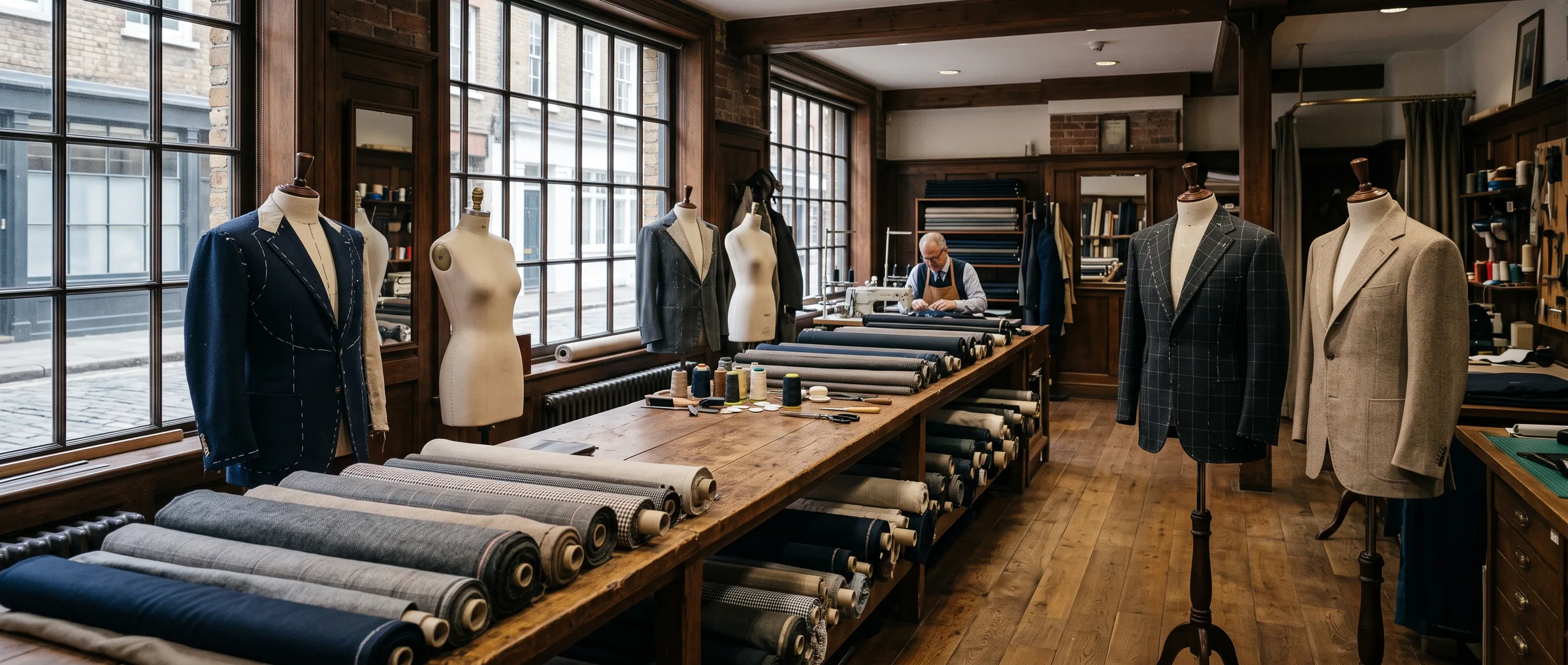
Six handoffs, one thread
The garment moves. The record keeps up.
Each step below is something your shop already does. Alter-Sync writes it down in one place so nobody has to ask.
- Step 1
Take the order once
Add the customer, the garment, its material, color, instructions, and the latest measurements to one order record. A fabric photo can go on the item too.
- Step 2
Tag the garment
Every order item gets its own QR code. Scan it with a phone camera or type the code, and the full record opens.
- Step 3
Send the work
The order details travel with the garment through production. Sewing comes before fitting, with adjustments recorded along the way.
- Step 4
Keep the status current
Move the order from active to on hold or completed as the work moves. The shop and the workroom check the same record.
- Step 5
Plan the visits
Fitting, measurement, delivery, and pickup appointments sit with the customer, each with a scheduled, confirmed, or completed status.
- Step 6
Close the loop
Notify the customer that the garment is ready for pickup. The order and the measurements stay on file for the next visit.
What you actually see
Real screens, in the order your day happens.
Every capture below is the live product with fictional demo records. Select one to open it at full size.
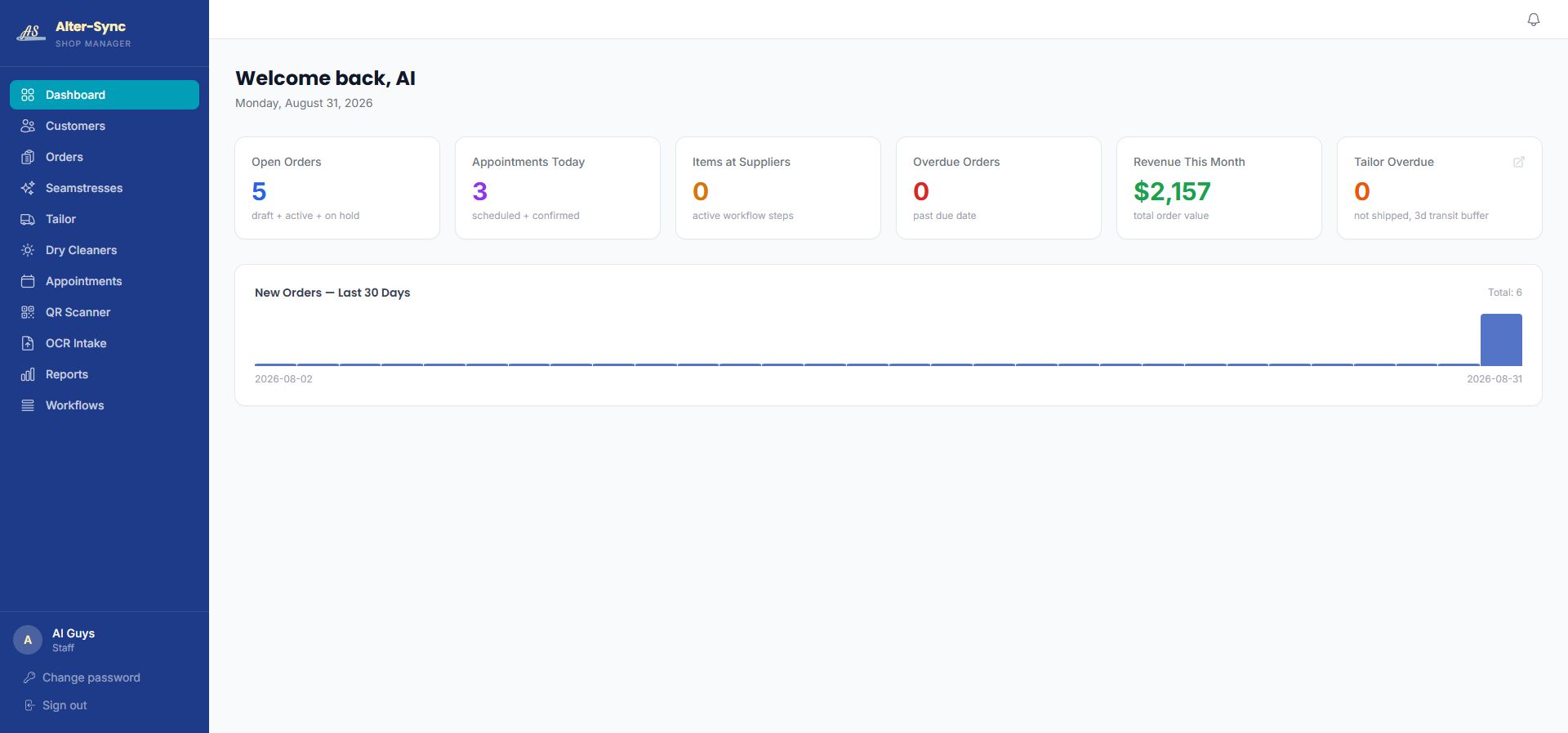
Open the shop with the whole day in view.
Open orders, today's appointments, items with suppliers, overdue work, and the month's revenue on one screen.
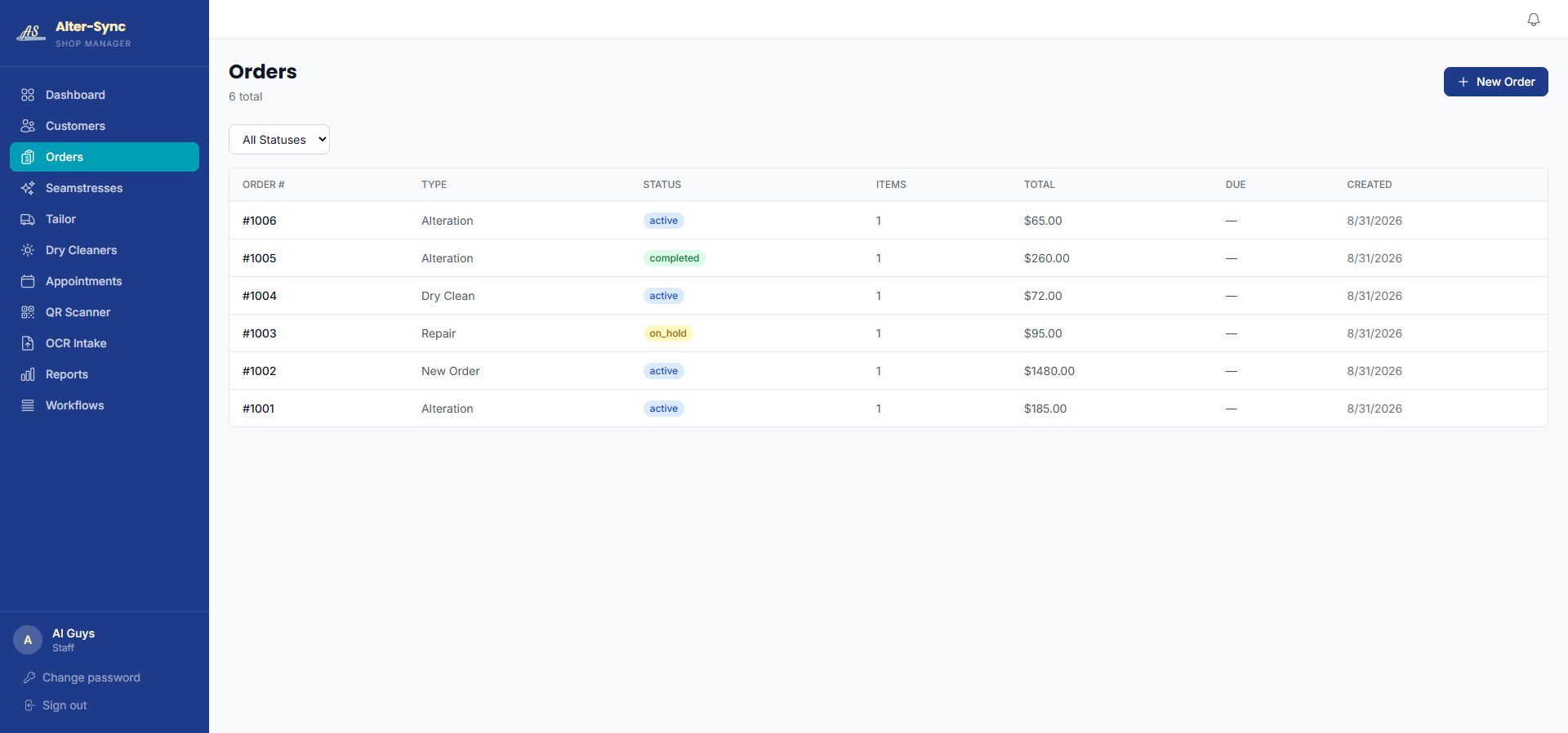
Every order, its status, and its priority.
Alterations, repairs, new garments, and dry cleaning in one list, each marked draft, active, on hold, or completed.
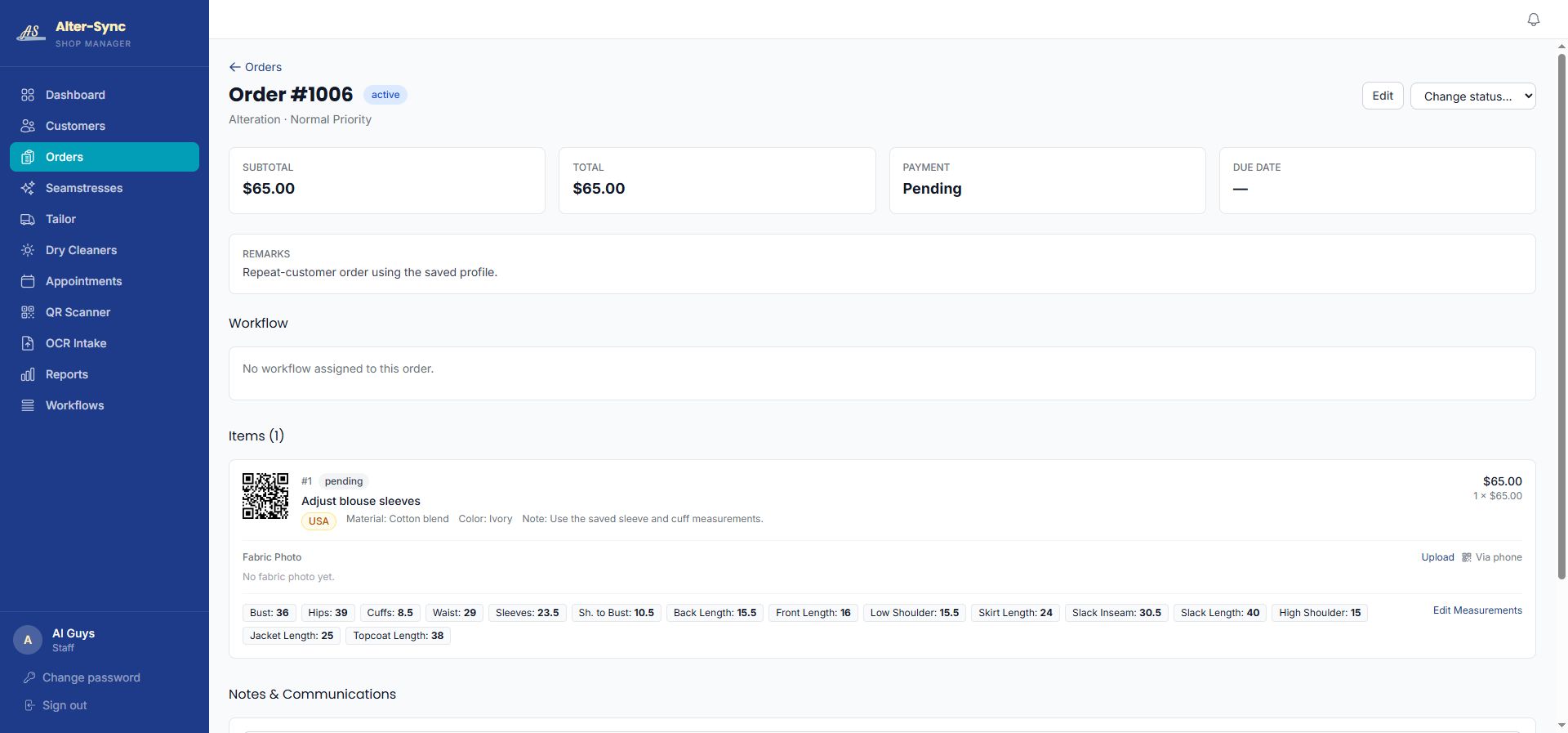
The garment and its details, together.
The item QR code, material, color, instructions, and the customer's saved measurements on the same order.
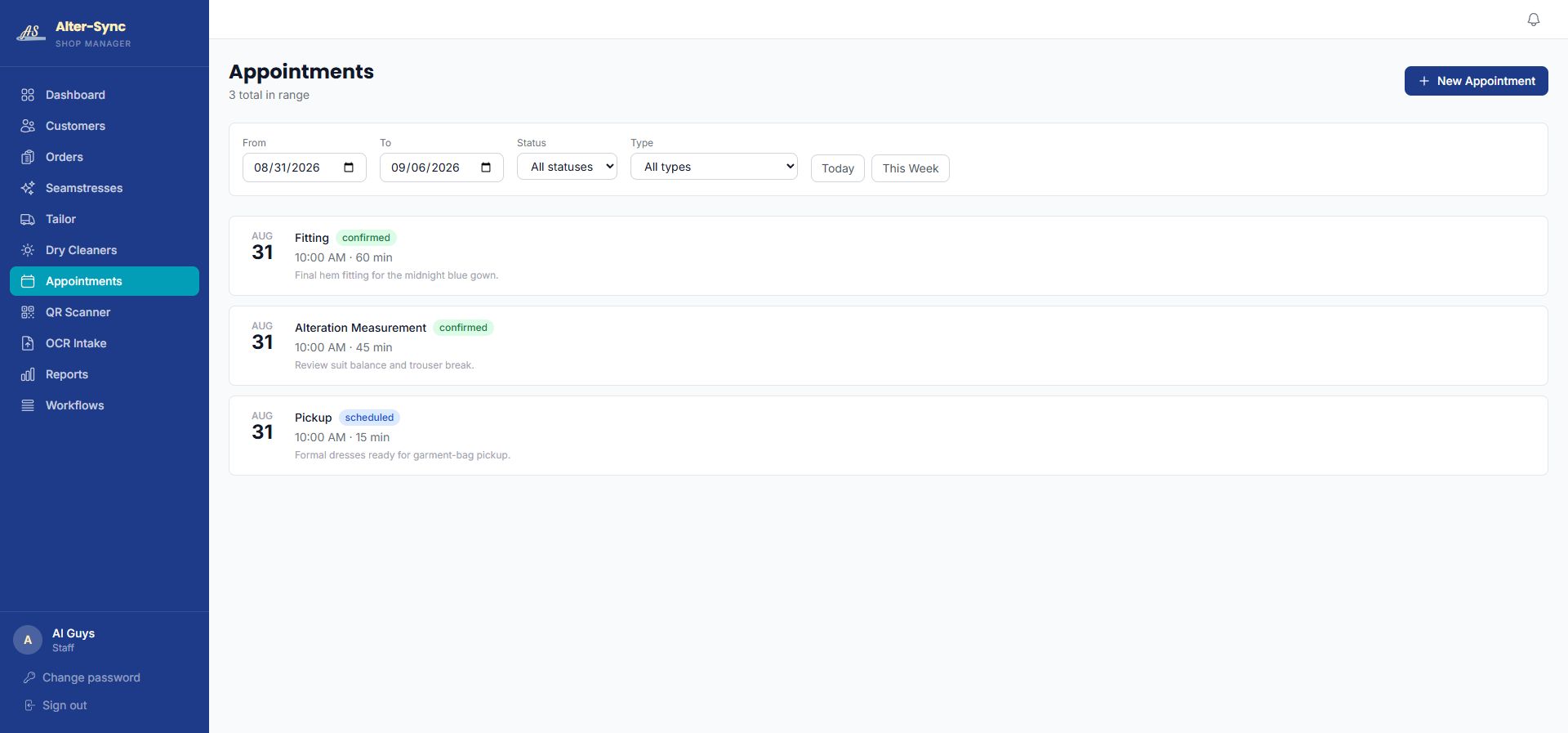
Fittings and pickups, filtered by day.
Each visit carries its type and status, so the front counter knows who is coming in and why.
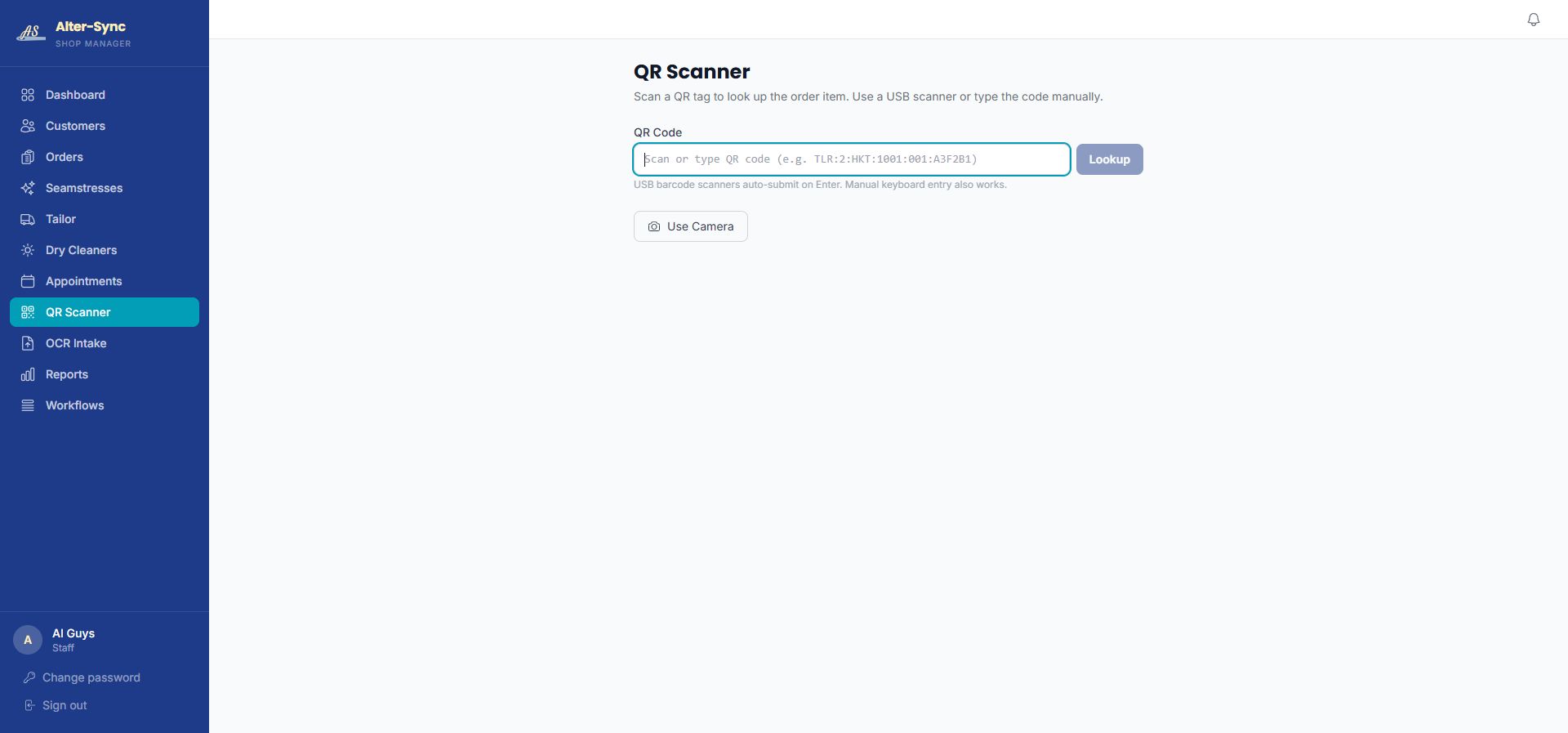
Scan the tag, open the record.
Use a phone camera or type the code. Either way the full order opens in a second.
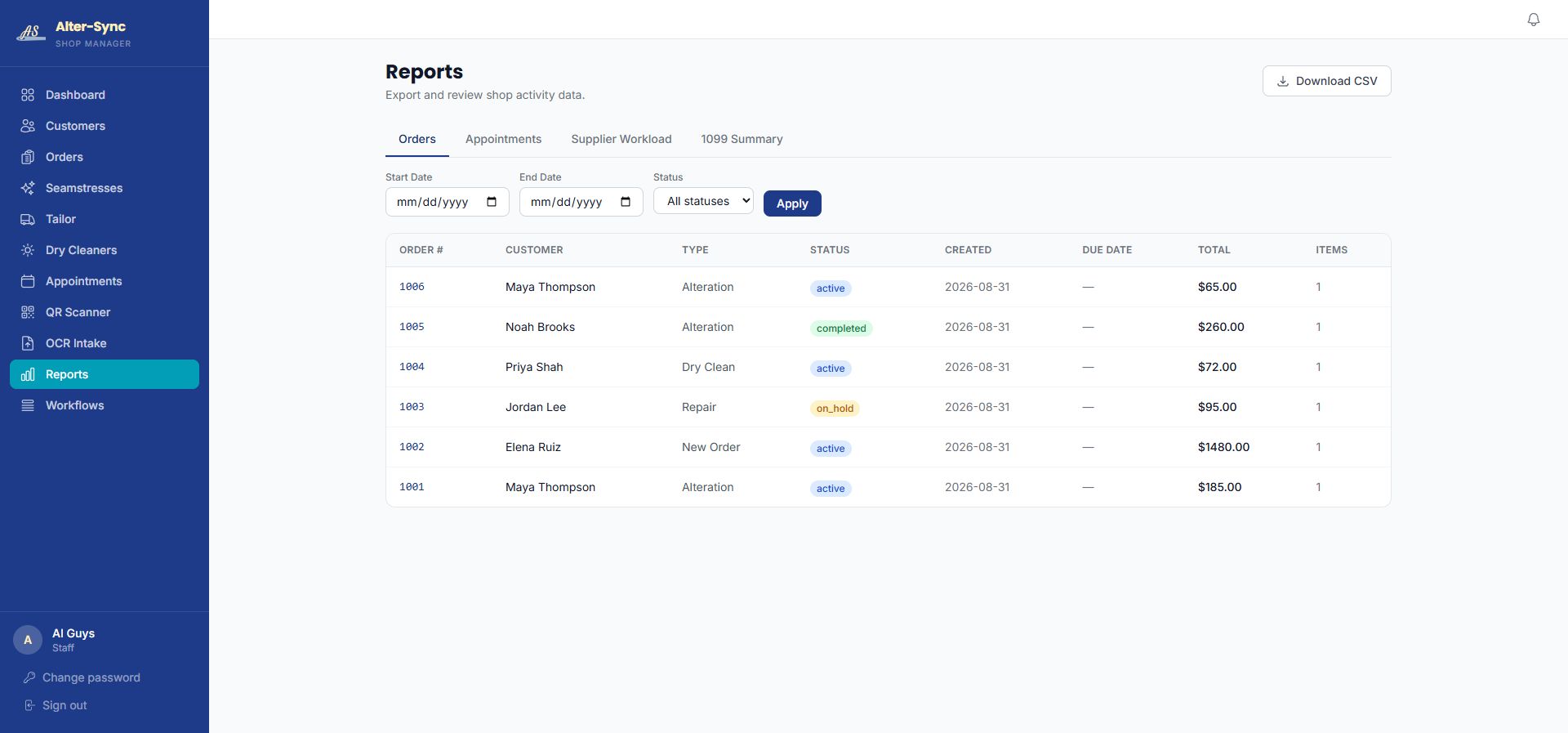
Review the work without rebuilding a spreadsheet.
Filter orders by date and status, then download the CSV if you need it somewhere else.
Actual product screens with fictional demo records. Demo appointment times all show 10:00 AM because that is how the demo tenant was seeded.
Before and after
Same shop. Same people. One place to look.
Your process already works. What changes is where the information lives.
How most shops track a garment today
- A paper tag on the hanger, with the details written small
- A printed spreadsheet that is out of date by lunch
- Measurements copied from a form to a sheet to a text message
- One person who knows where everything is, and a line of people asking
The same garment in Alter-Sync
- One order record with the customer, garment, instructions, and measurements
- A QR code on the item that opens that record from any phone
- Measurements entered once and reused on the next order
- A Daily Status view everyone in the shop can check for themselves
Want the detail on a single piece? Garment tracking, measurements, Daily Status, reports, and appointments each have their own page.
Practical questions
What owners ask during the walkthrough.
Do we have to type our order forms into the system?
You enter the customer, garment, and measurements once on the order record. Bring your current order forms to the walkthrough and we will look at how they map to the fields you already use.
Does every garment need a QR code?
Every order item gets a QR code automatically. Whether you print and attach it to the garment is your choice. Scanning opens the record; typing the code does the same thing.
Who can see the order?
Anyone in your shop with a login sees the same record. That is the point: the shop counter and the workroom stop keeping separate versions of the truth.
What happens with a repeat customer?
Their latest men's or women's measurement set is already on the profile. Confirm or update it, and it carries onto the new order without retyping.
A conversation about your shop
See your shop in sync.
Bring your order forms to a thirty-minute walkthrough and see how Alter-Sync fits the process you already trust.
Book a WalkthroughPrefer to talk first? Call (205) 541-0683 or email Darrell.